
The Dance Family Organizer

Your whole dance season.
One calm place.

Schedules, competitions, costumes, checklists, awards, and memories—organized for every dancer.

QR code to download Ovation from the App Store Scan to download Open in the App Store
See how it works
Ovation family dashboard greeting Hello, Sarah, showing two dancers, this week's classes, and an upcoming competition.

From photo to schedule

Build your dance season in seconds.

Snap a photo or upload a PDF. Ovation finds classes, routines, call times, and awards—then organizes everything for you.

From schedule to season

  1. 1

    Snap or upload

    Take a photo or upload a PDF of your studio or competition schedule.

  2. 2

    Review what Ovation found

    Ovation extracts classes, routines, call times, and awards for you to review and confirm.

  3. 3

    Your season is ready

    Everything lands in your calendar, alerts are set, and your whole family is in sync.

One Family Calendar

Every class. Every dancer. Every pickup.

See the whole week together—or focus on one dancer. Classes, rehearsals, competitions, and pickup times stay in one calm calendar.

  • Color-coded by dancer, so every child is easy to follow.
  • Switch between week and month views in a tap.
  • Reminders for class end-times and pickups, set automatically.
Ovation family calendar showing July with two dancers' classes, rehearsals, and pickup times.

Competition Day

Know what's next. Before the rush.

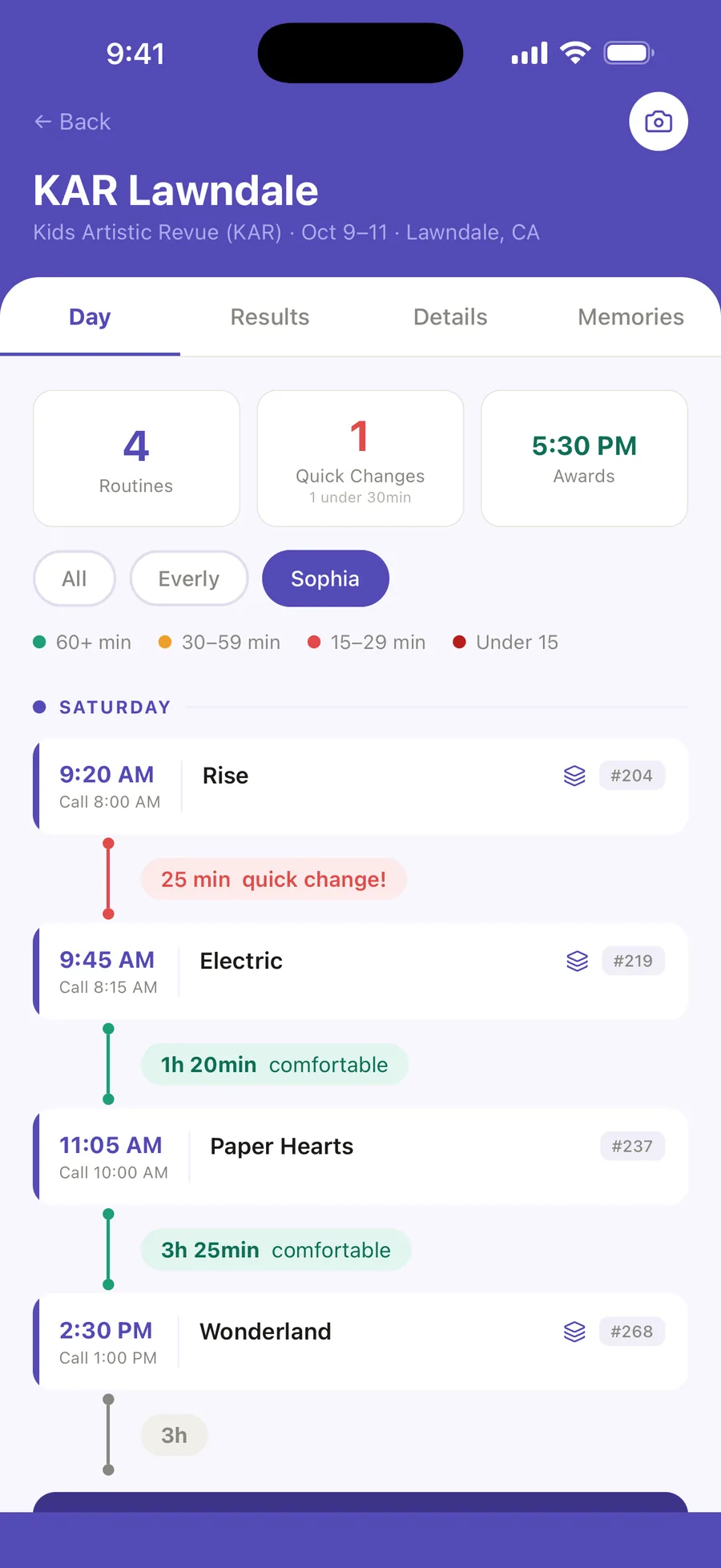
Call times, performance order, quick changes, and awards—one calm timeline.

  • Every routine in performance order.
  • Tight costume changes flagged early.
  • Shift every call time at once when the competition runs late.
Ovation competition-day timeline for Spotlight Dance Cup with call times, performance order, and quick-change alerts.

Routines & Looks

Every detail. Ready backstage.

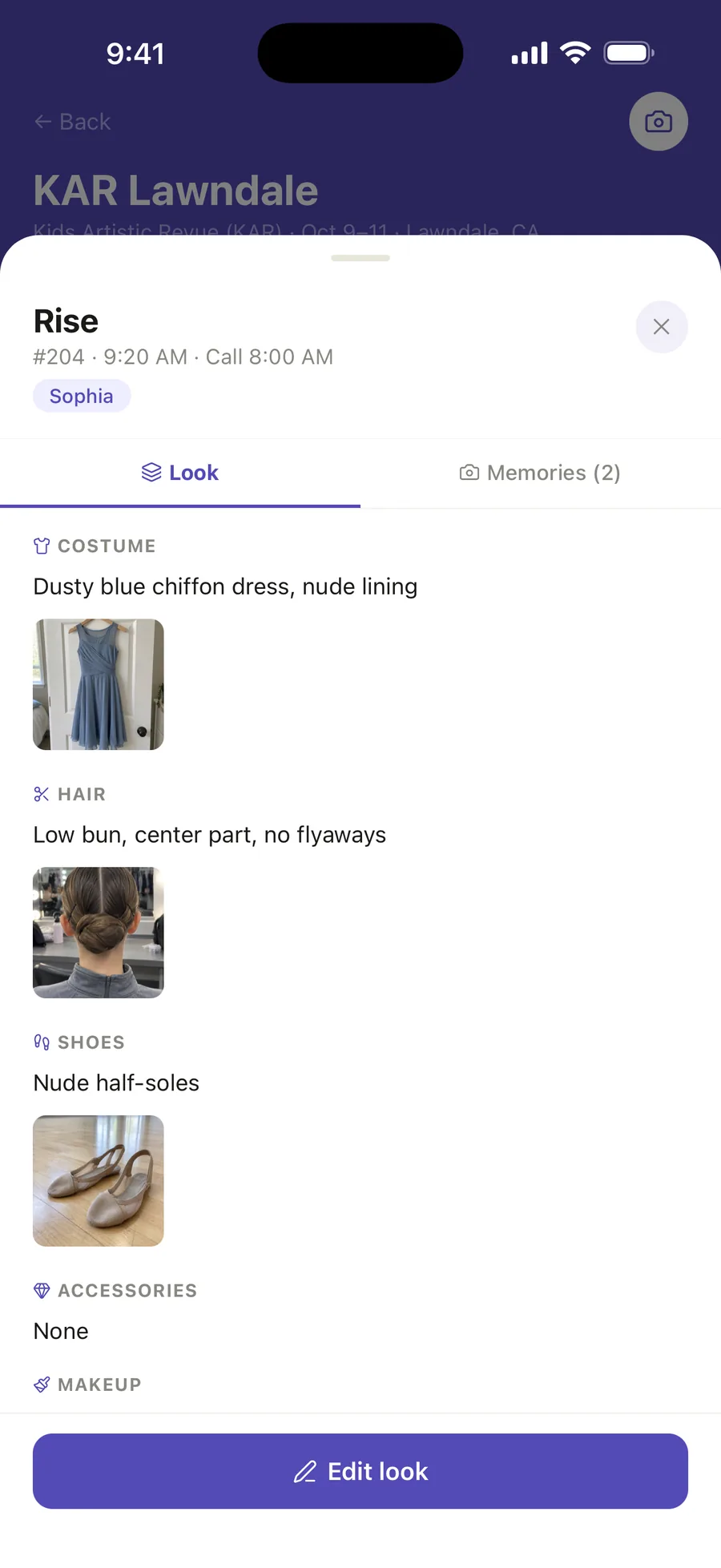
Costume, hair, makeup, shoes, accessories, and visual references—saved with the routine.

Ovation Routines & Looks for the Music Box routine: costume, hair, and shoe details with reference photos.

Competition Packing

Packed. Checked. Ready.

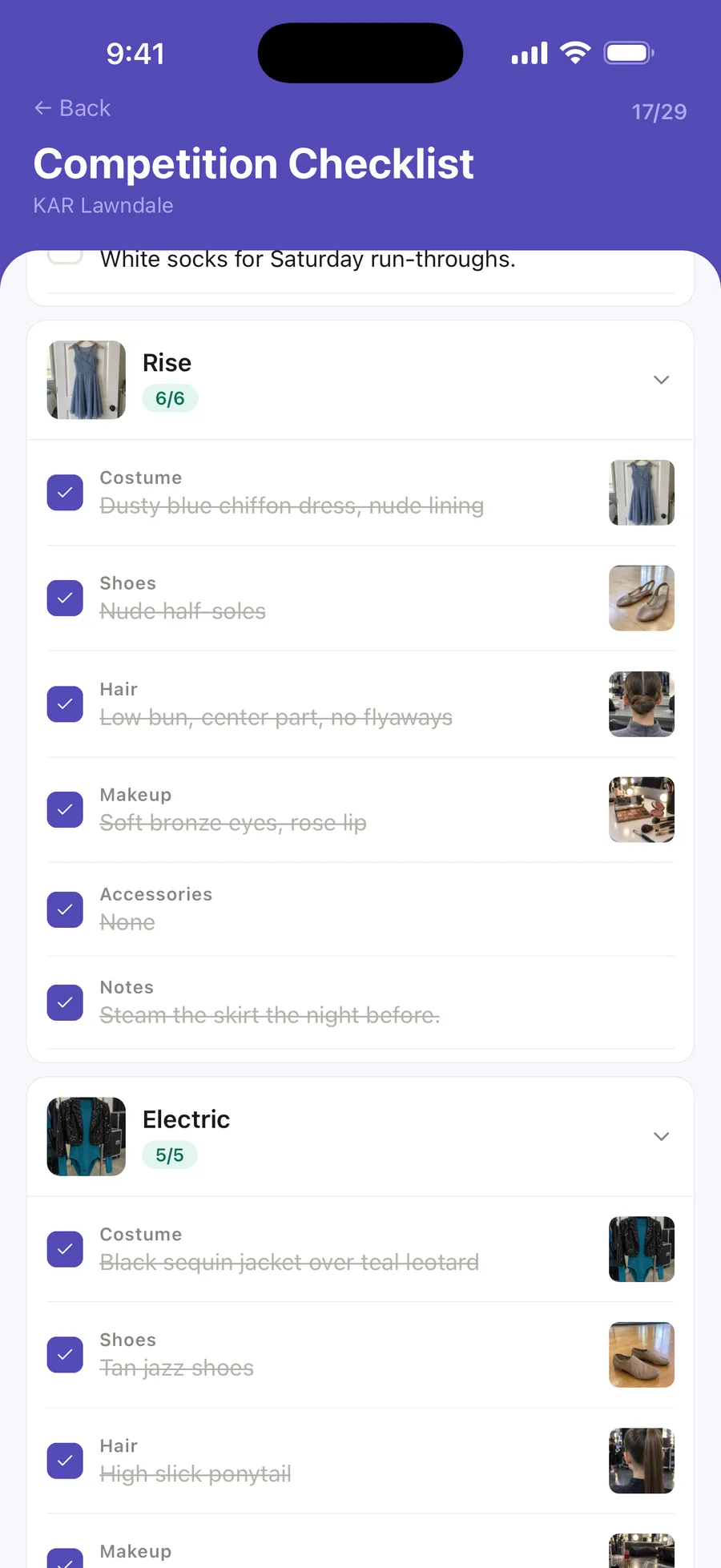
Routine bags and competition-day essentials in one checklist, so nothing gets left at home.

  • Costumes, shoes, hair, and makeup
  • Accessories and extras
  • Competition-day essentials
  • Check off as you pack
Ovation competition checklist showing routine bags and general-bag essentials with items checked off.

Their Dance Journey

See how far they've come.

Milestones, awards, dance hours, and every season of growth in one place.

Ovation dance journey for Sophia showing years dancing, milestones, first competition, and hours in the studio.

Awards

Every achievement, remembered.

Import competition results with AI or add awards manually. Ovation organizes placements and special awards in one place, so every achievement is easy to revisit.

  • Import awards from a photo or results sheet
  • Match placements to routines
  • Keep placements and special awards together
Everly's Awards view in Ovation: best award of the season, season stats, and a medal-by-medal breakdown of results grouped by competition.

Private Memories

Keep every dance memory close.

Private photos, videos, and notes—organized by dancer and competition.

Private by default. No public profiles. No public feed.

Your family's photos, videos, schedules, and notes stay under your control.

Ovation private memories for Spotlight Dance Cup showing a private grid of performance photos and videos.

Pricing

Simple pricing. Start free.

Start free. Upgrade when your dance family needs more.

Free

$0 forever

  • 1 dancer
  • Full class & competition schedule
  • Competition-day lineup — call times, entry numbers, venue map
  • Running-late shift & quick-change alerts
  • Packing checklists for every class, routine, and comp bag
  • Class & pickup reminders
  • Routines & Looks — notes, costume checklists, photos
  • Up to 50 photo memories a season
  • Your first 2 AI imports, on us

Ovation Pro renews automatically at $49.99/year (or $6.99/month) unless canceled at least 24 hours before the period ends. Payment is charged to your Apple Account. Manage or cancel anytime in Settings.

Ready for a calmer dance season?

Download Ovation and spend less time sorting schedules—and more time cheering.