
The Dance Family Organizer

Your whole dance season.
One calm place.

Schedules, competitions, costumes, checklists, awards, and memories—organized for every dancer.

QR code to download Ovation from the App Store Scan to download Open in the App Store
See how it works
Ovation Home on a Monday evening: Sophia and Everly, a class in progress, Everly's pickup at 5:15 PM, today's classes, and the KAR Lawndale competition coming up in 4 days with its packing checklist.

From photo to schedule

Build your dance season in seconds.

Snap a photo or upload a PDF. Ovation finds the classes, dates, call times, and results—and you check everything before it is saved.

From schedule to season

  1. 1

    Snap or upload

    Take a photo, upload a PDF, or paste the text of your class schedule, studio calendar, or competition running order.

  2. 2

    Review what Ovation found

    Ovation reads it and shows you every class, date, or entry it found. Fix anything, switch off what you don’t need, then save.

  3. 3

    Your season is ready

    Everything lands on your schedule, and with reminders on, Ovation reminds you before class and before pickup.

See how two screenshots become a dance calendar →

One Family Calendar

Every class. Every dancer. Every pickup.

See the whole week together—or focus on one dancer. Classes, rehearsals, events, and competitions stay in one calm calendar.

  • Each dancer has their own color, so every child is easy to follow.
  • Switch between week and month views in a tap.
  • Reminders before class and before pickup, at the times you choose.
The Ovation Schedule tab, Week view for both dancers: Monday's Ballet Technique and Mini Ballet & Tap marked Now, then Leaps & Turns and Tuesday's Jazz, each with its teacher and studio.

Competition Day

The whole day in order. Before the rush.

Call times, entry numbers, quick changes, and when awards start—one calm timeline.

  • Every routine in performance order, with its call time, and the next one marked NEXT UP.
  • Quick changes under 30 minutes flagged in color.
  • Shift every call time at once when the competition runs late.
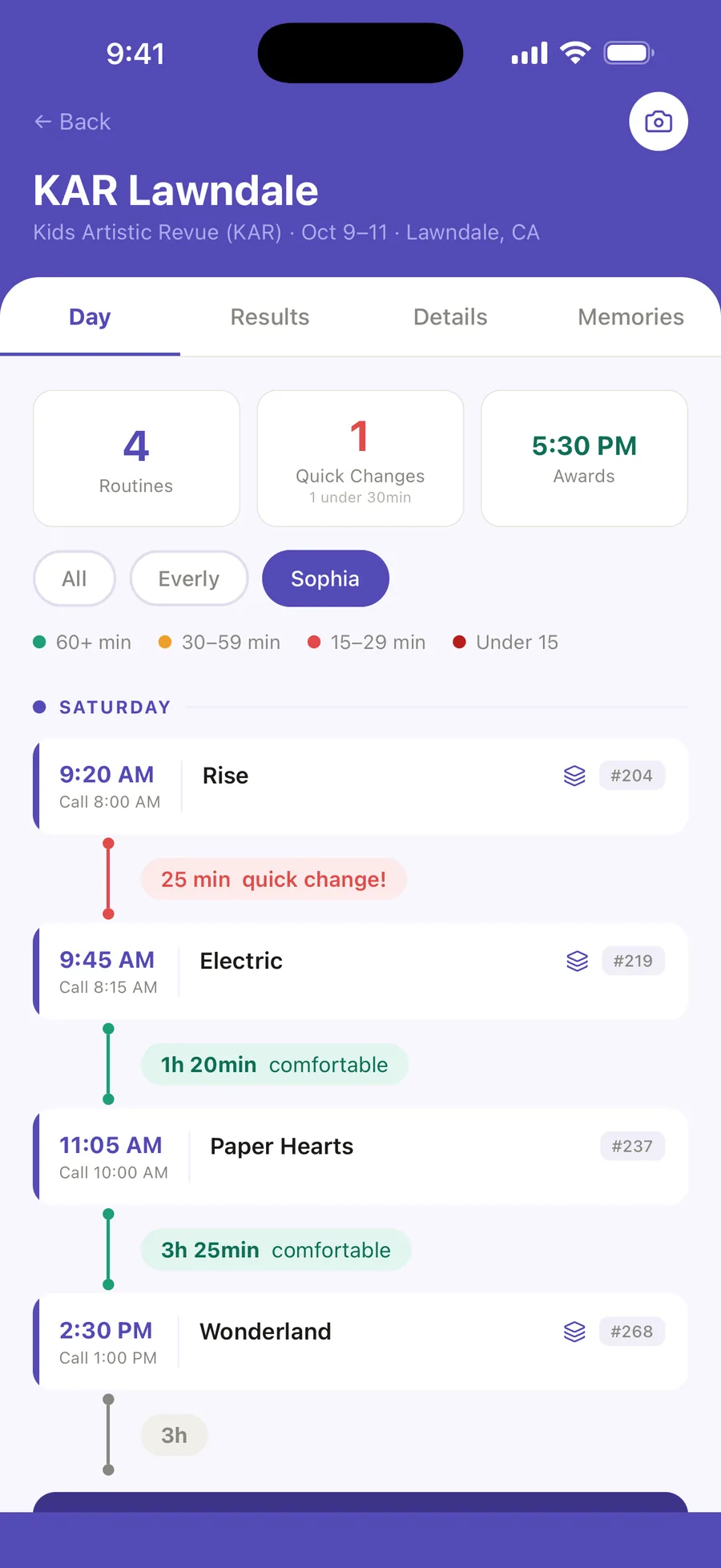
The Day tab for KAR Lawndale, filtered to Sophia: 4 routines, 1 quick change, awards at 5:30 PM, and Saturday's routines in order with their call times and entry numbers, a red 25 min quick change between Rise and Electric.

Routines & Looks

Every detail. Ready backstage.

Costume, hair, makeup, shoes, and accessories, with photos—saved with the routine, and one tap away on competition day.

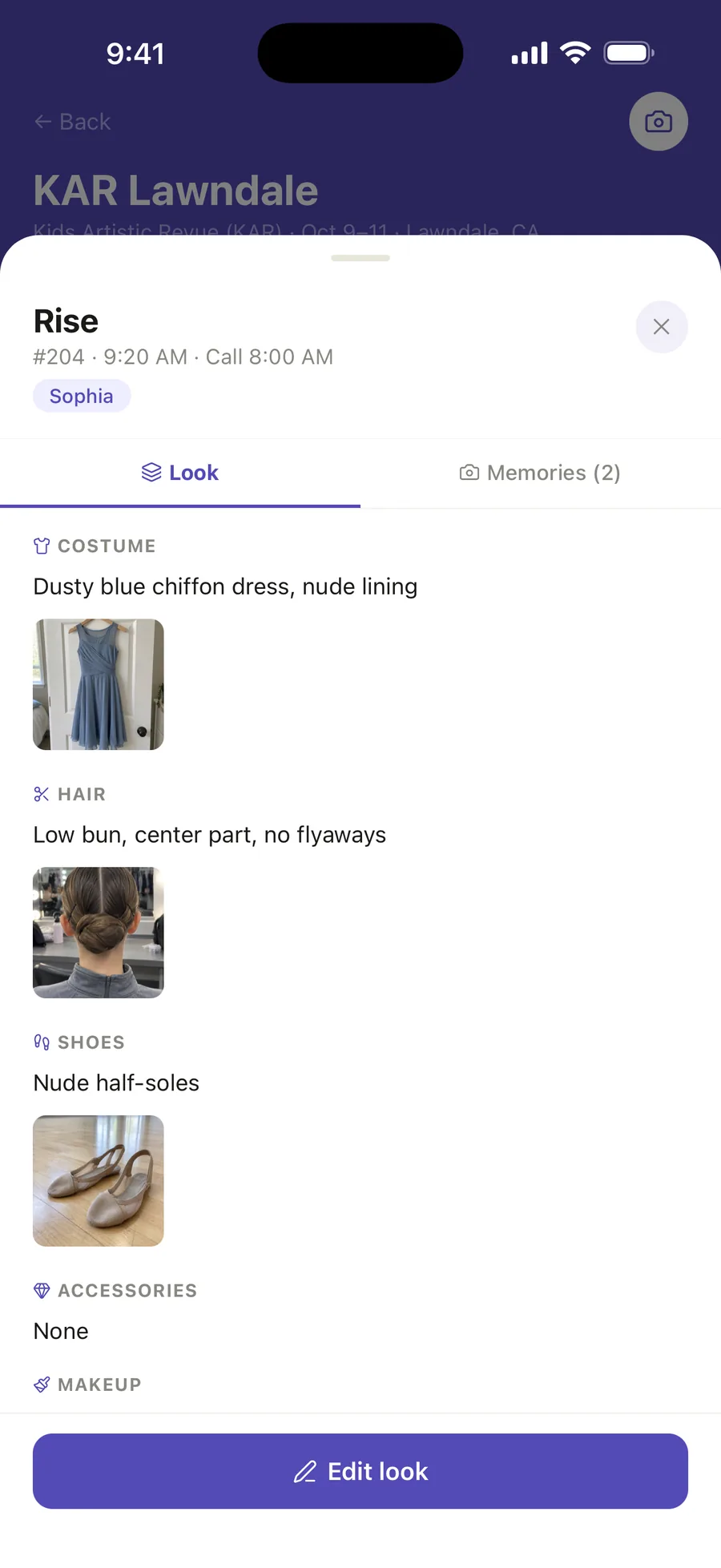
Sophia's Rise routine opened from the KAR Lawndale running order: entry #204, 9:20 AM, call 8:00 AM, and its look: a dusty blue chiffon dress, a low bun with a center part, and nude half-soles, each with a photo.

Competition Packing

Packed. Checked. Ready.

Every routine's look and the family's competition bag in one checklist, so nothing gets left at home.

  • Costumes, shoes, hair, and makeup
  • Accessories and notes
  • The family's general bag
  • Tick off as you pack
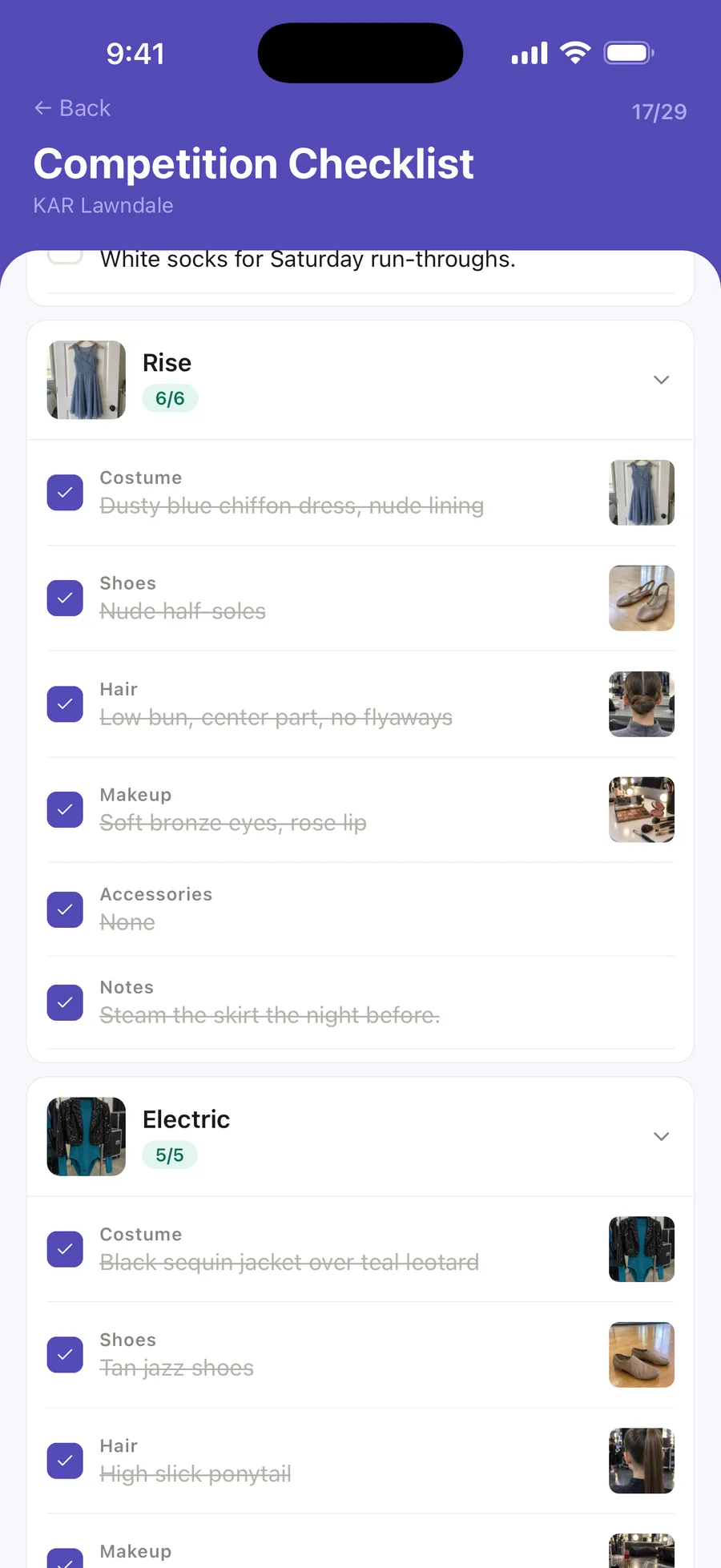
The Competition Checklist for KAR Lawndale, 17 of 29 packed: the Rise and Electric cards, each listing its costume, shoes, hair, makeup and accessories with photos, ticked off.

Their Dance Journey

See how far they've come.

This season beside the last, their week in the studio, and every season so far.

Explore the full dance season
Sophia's journey, This season: 1 award so far against 10 last season, her week in the studio from her class schedule, 10 classes and 10½ hours, and the season's convention and competition.

Awards

Every achievement, remembered.

Import competition results with AI or add awards manually. Ovation organizes placements and special awards in one place, so every achievement is easy to revisit.

  • Import awards from a photo or results sheet
  • Matched to your dancer's routines
  • A season recap card to share or save
The Awards tab, the family's 2025–2026 season: 14 awards across 3 competitions and 3 routines, the Season recap button, highlights from 1st Overall down, and each routine's season.

Private Memories

Keep every dance memory close.

Photos and videos from class, rehearsals and competition day—tagged with your dancer, the competition and the routine.

Private by default.

A new memory says it plainly before you save it: Only you can see this post.

Sarah's Feed, the family's competition journal: a memory of Wonderland costumes on the rack tagged Production: Wonderland, and Everly's back walkover video.

Also in Ovation

The everyday things, handled too.

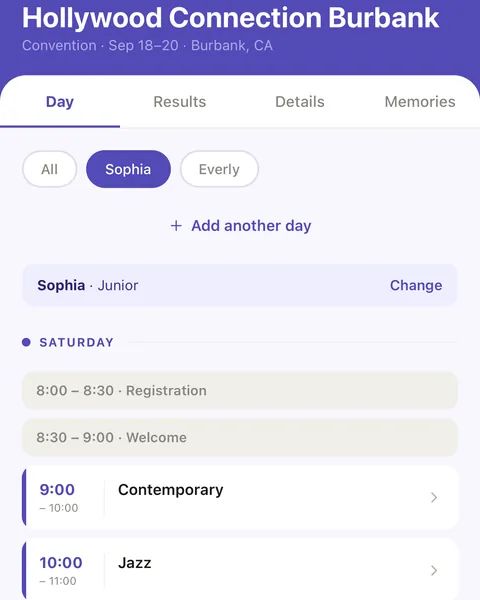
  • A convention Day tab for Hollywood Connection Burbank: Sophia’s group, Junior, with Change, and Saturday’s registration, welcome and classes in time order.

    Conventions, by group

    Add a convention’s class grid one day at a time, pick your dancer’s group, and their classes and breaks land in their week.

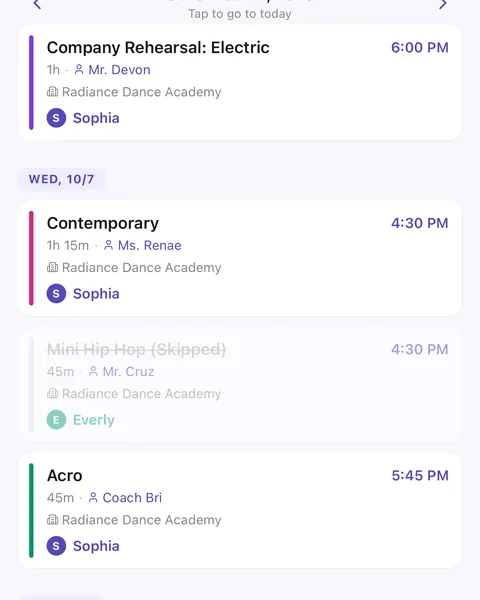
  • The Schedule week with Wednesday’s Mini Hip Hop struck through and marked Skipped between Contemporary and Acro.

    Skip or move one class

    Skip one date of a weekly class, or change its time for just that day, without touching the rest of the season.

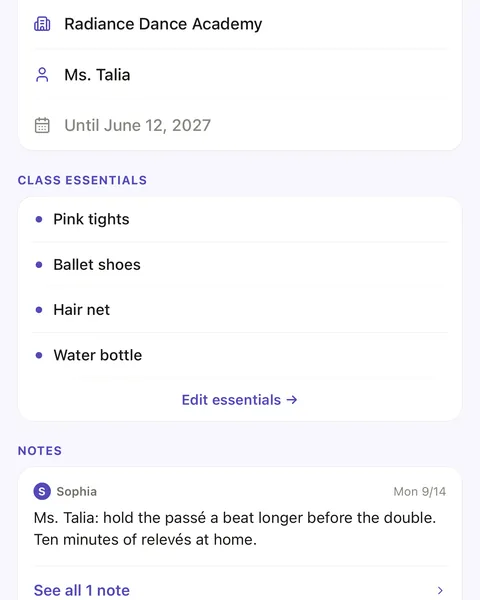
  • A Ballet Technique class page: its class essentials, pink tights, ballet shoes, hair net and water bottle, and a note from Ms. Talia.

    Class notes and essentials

    Keep what to bring and what the teacher said on the class itself, and find every note again in one place.

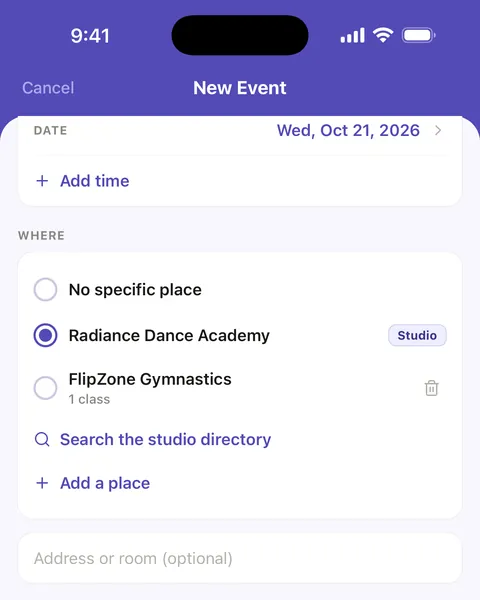
  • The New Event screen: Wednesday, October 21, at Radiance Dance Academy, with a time to add and who it is for.

    Picture day, recitals and events

    Add the dates that are not classes, for one dancer or the whole family.

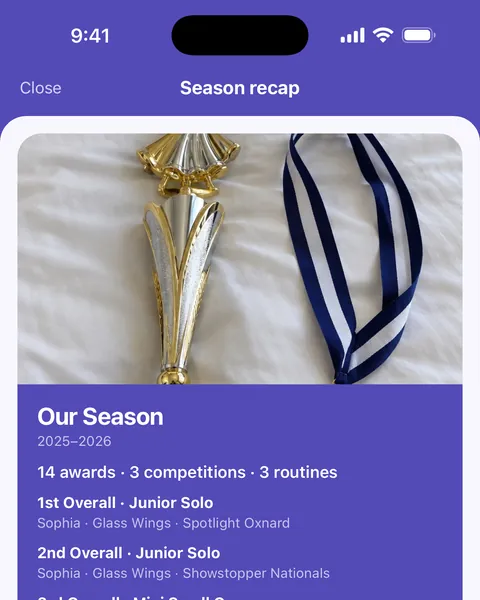
  • The Season recap card, Our Season 2025–2026, with the tagged photo of a trophy and medal above 14 awards, 3 competitions and 3 routines.

    Awards tagged on photos

    Mark which awards a photo shows, and it appears beside those results and on the season recap.

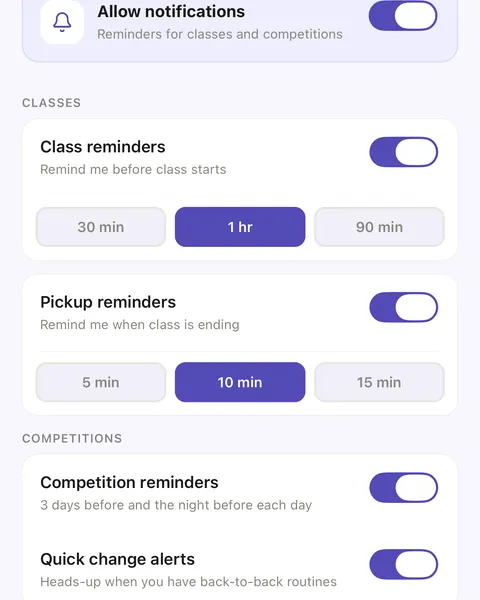
  • Reminder settings: class reminders 1 hour before, pickup reminders 10 minutes before class ends, competition reminders and quick change alerts on.

    Reminders, class to competition

    Before class, before pickup, 3 days before a competition and the night before each day, with quick-change alerts.

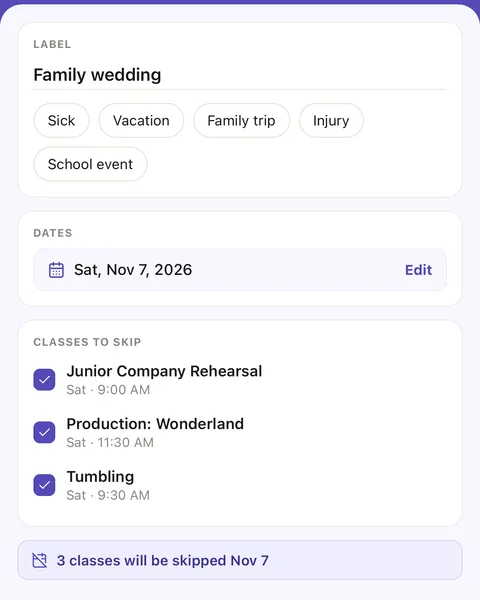
  • Days away for a family wedding on Saturday, November 7: Junior Company Rehearsal, Production: Wonderland and Tumbling ticked, 3 classes will be skipped.

    Closures and days away

    Mark the days the studio is closed or your dancer will miss, and those classes show as skipped.

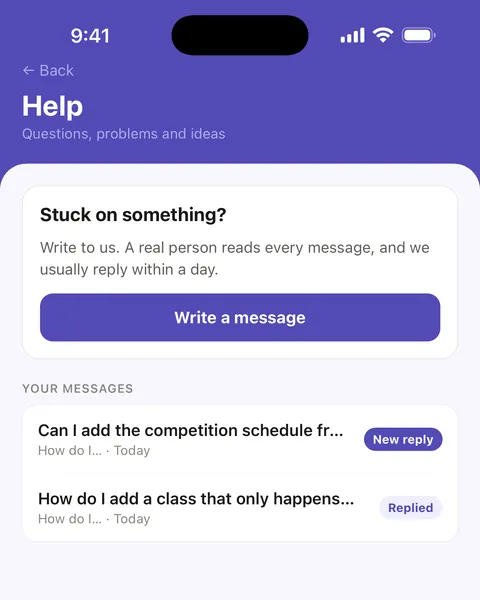
  • The in-app Help screen: Stuck on something? Write a message, and two earlier questions, one with a new reply.

    Help from a real person

    Write to us from inside Ovation. A real person reads every message, and we usually reply within a day.

A dance parent’s week, competition weekend and season, start to finish

Pricing

Simple pricing. Start free.

Start free. Upgrade when your dance family needs more.

Free

$0 forever

  • 1 dancer
  • Full class & competition schedule
  • Competition-day lineup — call times, entry numbers, directions
  • Running-late shift & quick-change alerts
  • Packing lists for every class, routine, and comp bag
  • Class, pickup & competition reminders
  • Routines & Looks — costume, hair, makeup, shoes, photos
  • 50 photos a season
  • Your first two AI imports

Ovation Pro renews automatically at $49.99/year (or $6.99/month) unless canceled at least 24 hours before the period ends. Payment is charged to your Apple Account. Manage or cancel anytime in Settings.

Ready for a calmer dance season?

Download Ovation and spend less time sorting schedules—and more time cheering.