Family schedule
Every dancer’s classes, rehearsals, private lessons, events, and competitions, by week or month.
THE DANCE COMPETITION APP FOR FAMILIES
From weekly schedules, routines, and costumes to competition days, awards, and private memories—Ovation keeps everything in one calm place. AI imports turn photos and PDFs into organized schedules in seconds.

ONE APP. THE WHOLE SEASON.
Dance families juggle studio calendars, emailed PDFs, costume notes, changing call times, and results. Ovation connects those scattered details into one clear season for every dancer in your family.
01 · PLAN
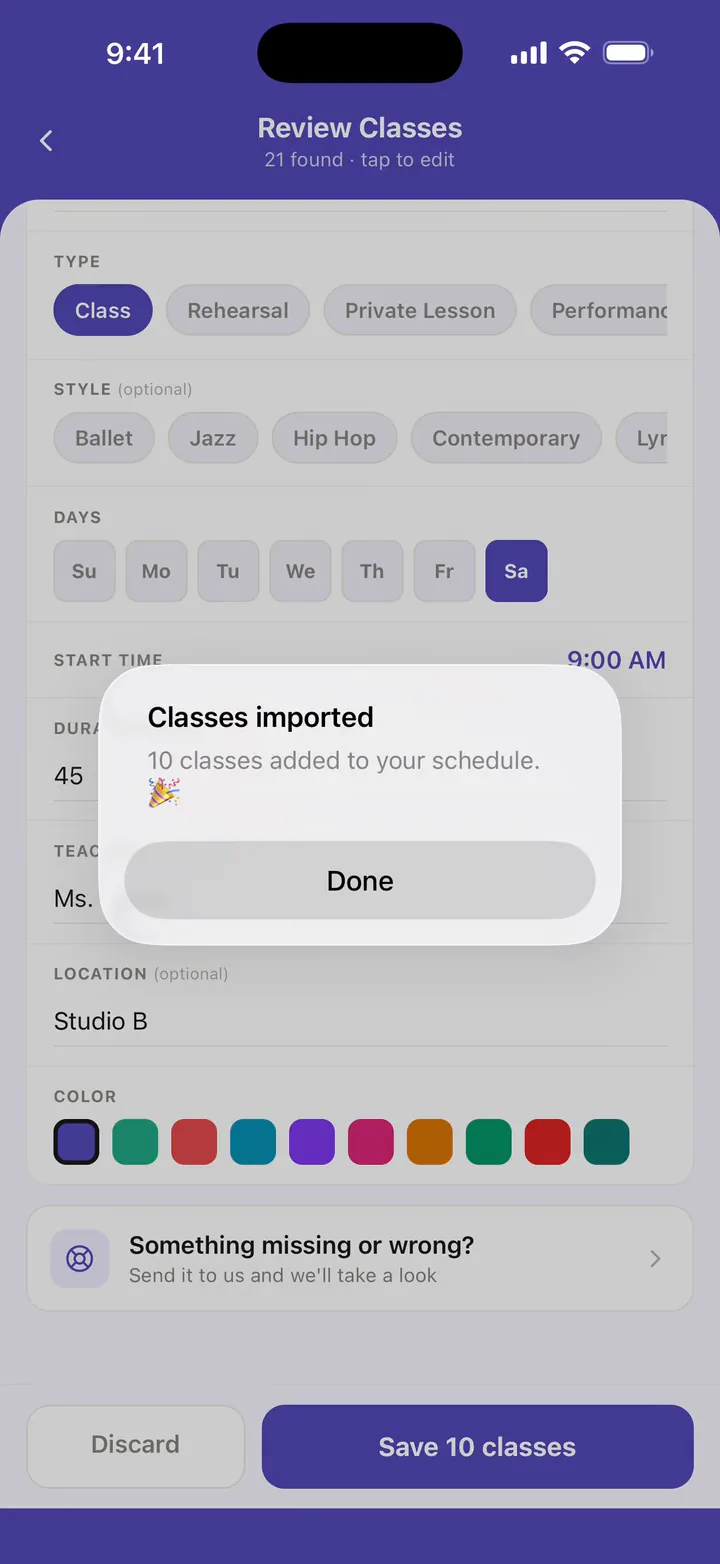
Take a photo of a studio schedule, upload a competition PDF, or paste the text. Ovation reads it, finds the important details, and builds an organized schedule for you to review.
02 · ORGANIZE
See the family’s schedule together, then open any routine to keep its music, style, costume look, shoes, accessories, and notes close at hand.
Every dancer’s classes, rehearsals, private lessons, events, and competitions, by week or month.
Costumes, hair, makeup, shoes, accessories, music, and notes.

03 · COMPETE
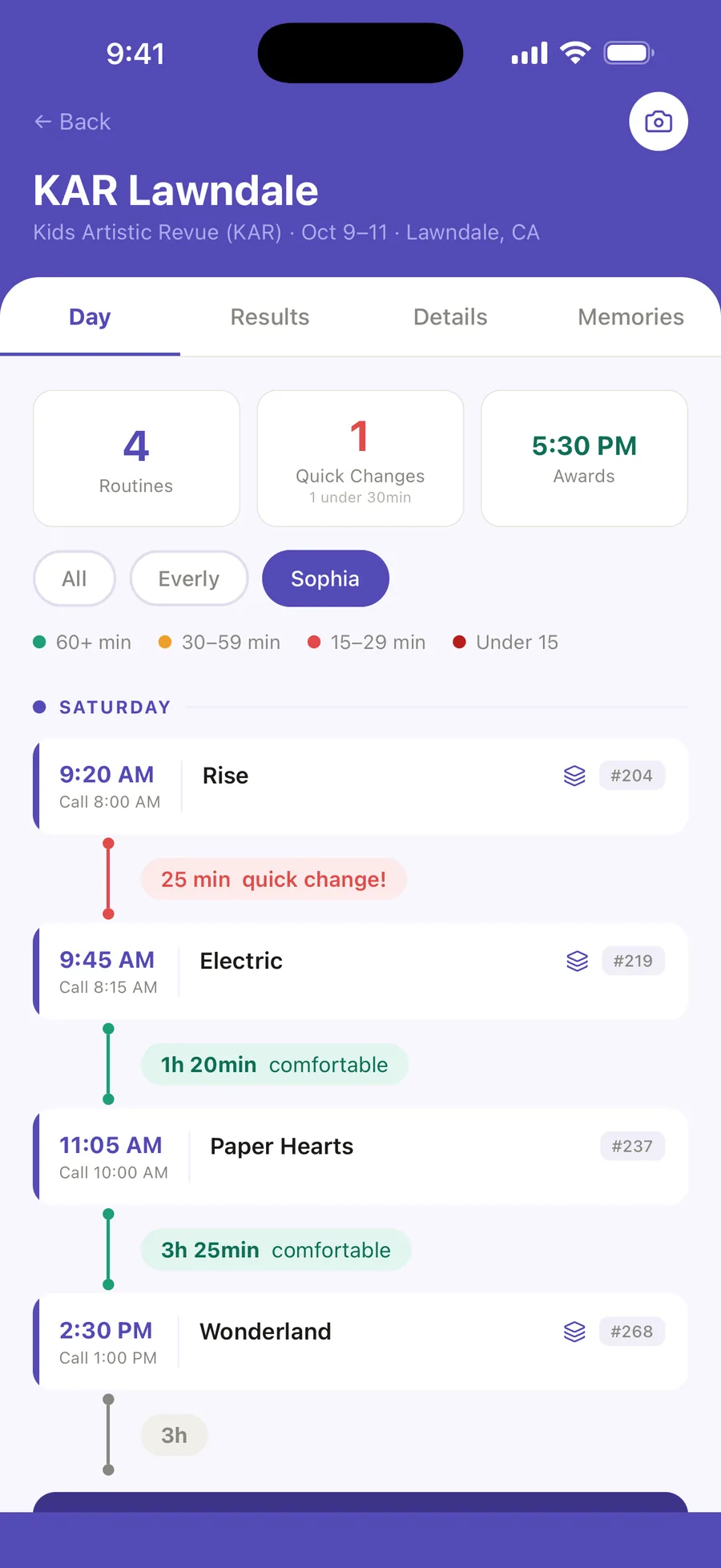
Keep every routine in order with call times, entry numbers, venue details, quick-change warnings, and packing lists ready when you need them, and the next routine marked NEXT UP on the day.
04 · CELEBRATE
Import results from a photo or add them manually. Ovation connects placements and special awards to the right dancer, competition, and routine.

05 · REMEMBER
Save photos and videos as memories, tagged with your dancer, the competition, and the routine. Revisit the moments that made the season special.

READY FOR A CALMER SEASON?
Start free with one dancer, a complete schedule, competition-day tools, routines and looks, packing lists, awards, and your first two AI imports.
Download on the App Store Compare Free and Pro