Tag awards on a photo
Mark which awards a photo shows, and it appears beside those results, on the Awards tab and on the season recap.
- About 1 minute
Before you start
A memory can carry awards when it is tagged with a competition, and the awards are recorded on that competition's Results tab.
-
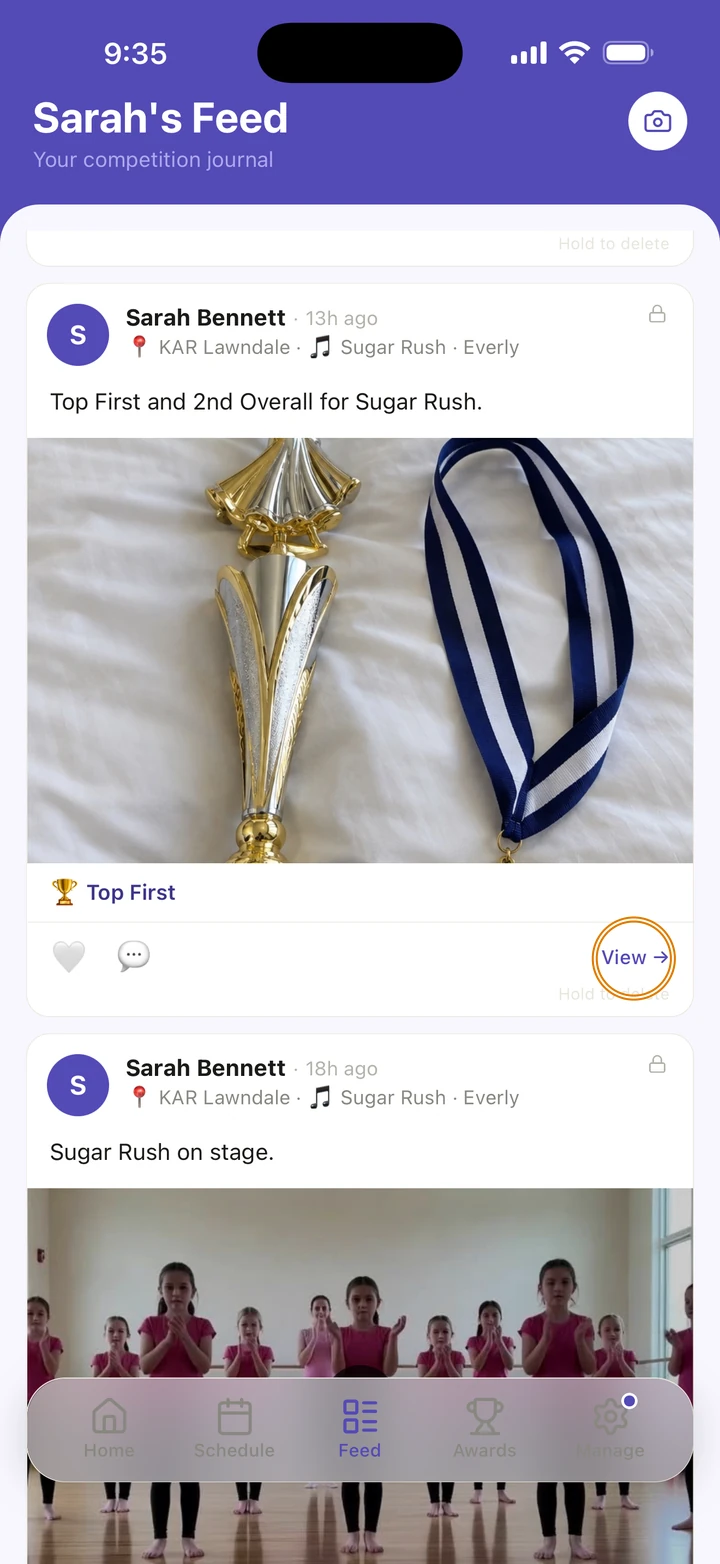
On the Feed tab, tap View → on the memory to open it.
-
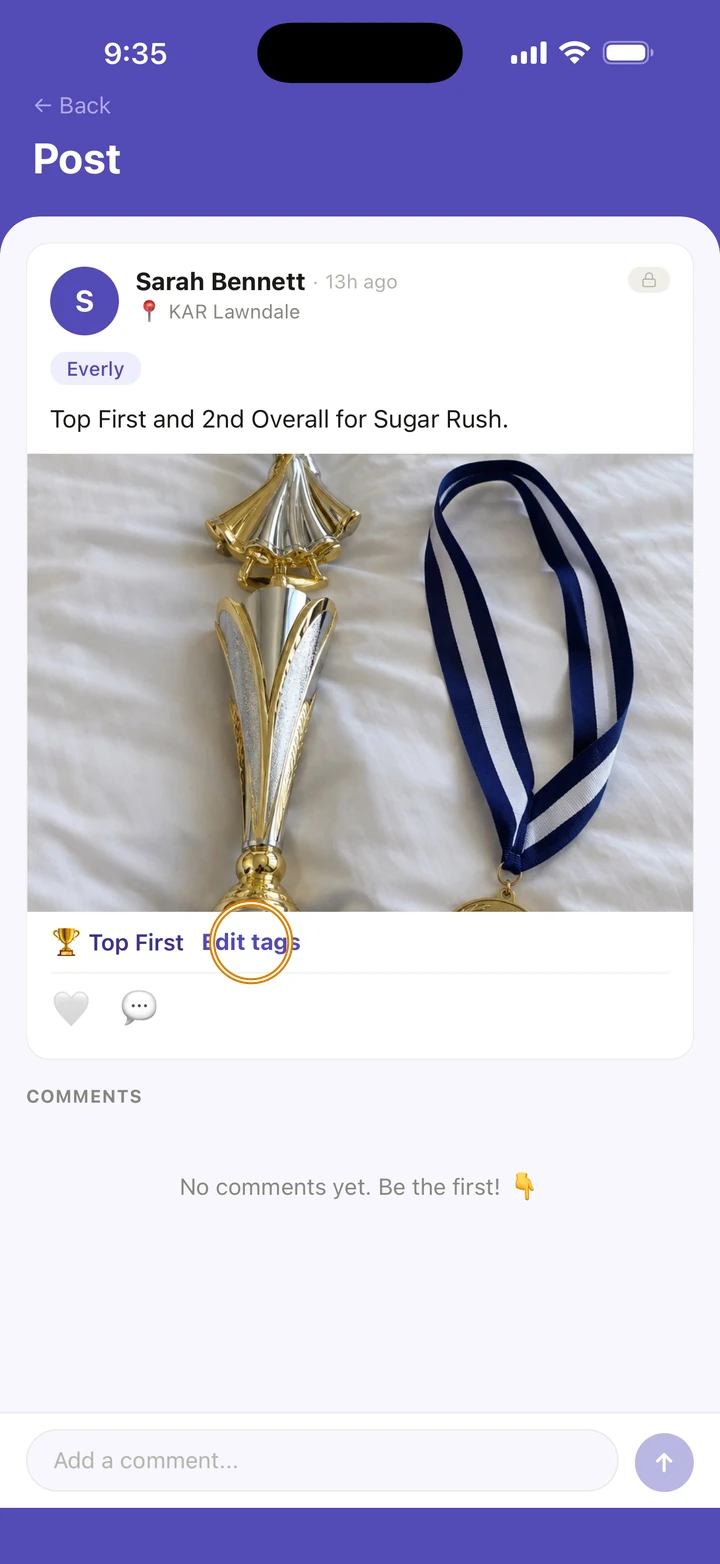
Tap 🏆 Tag awards. If it already has tags, tap Edit tags.
-
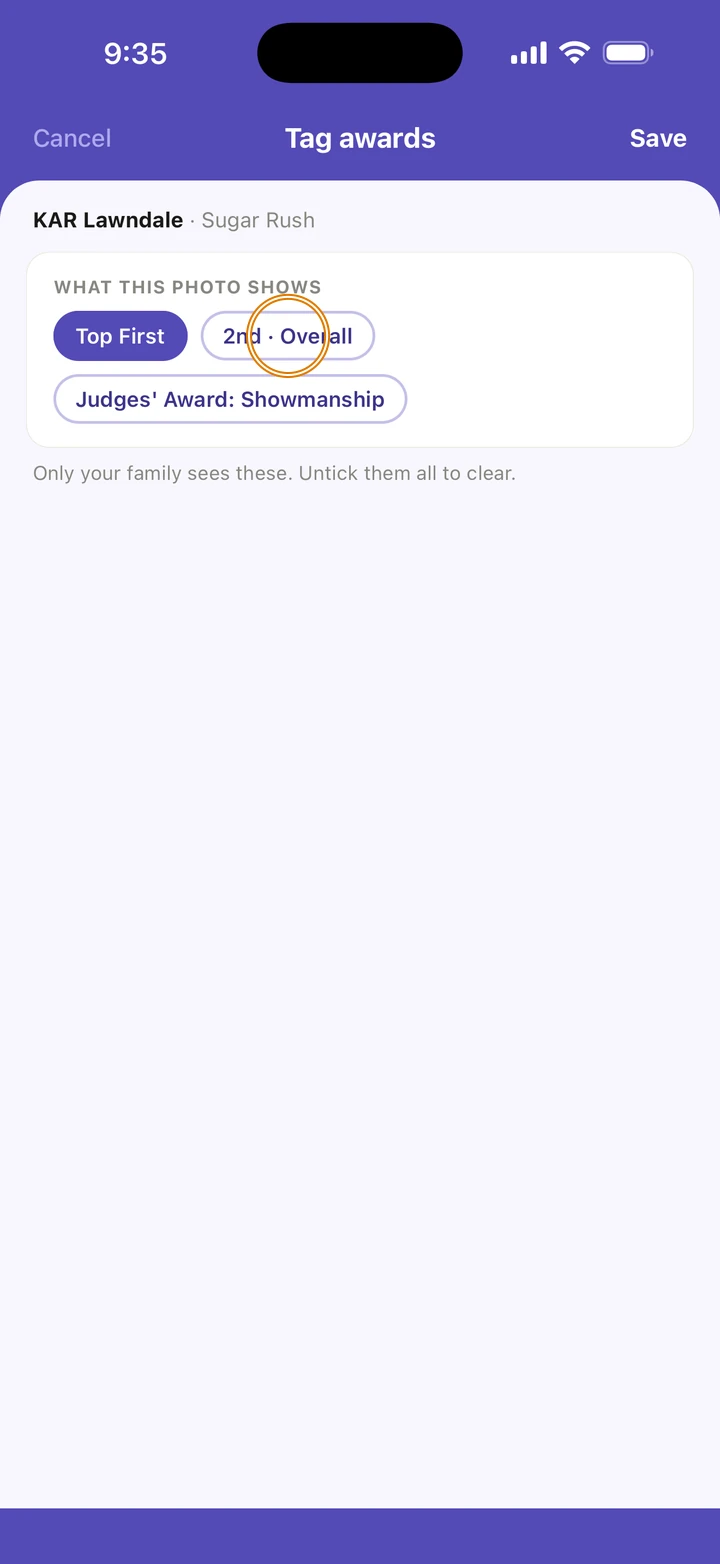
Under WHAT THIS PHOTO SHOWS, tap each award the photo shows.
-
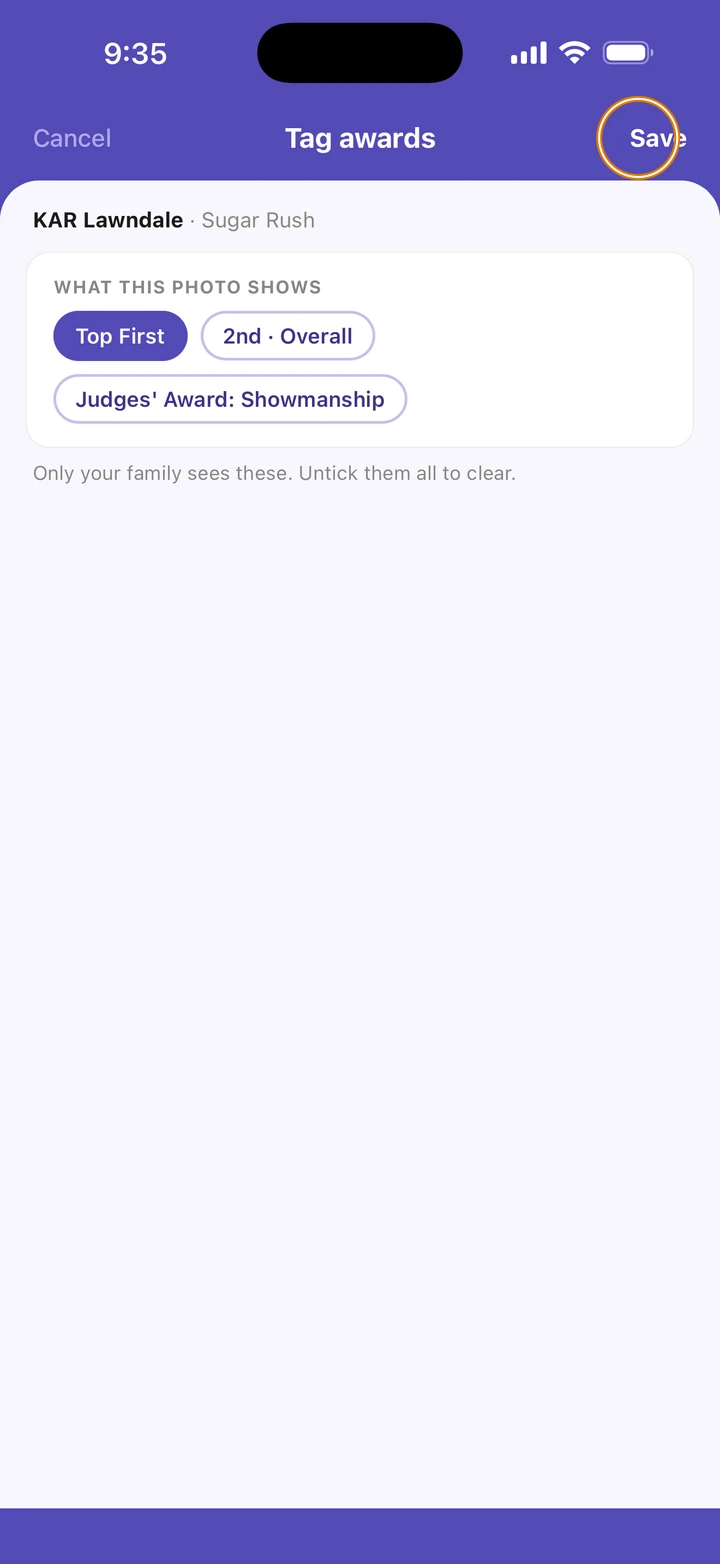
Tap Save.
Good to know
- You can also tag awards while you make the memory: once a competition is tagged, choose them under Award.
- The awards show under the photo in your feed, and the photo shows on that routine's card on the competition's Results tab.
- On the Awards tab, a highlight shows the photo tagged with its award, and the first highlight's photo goes on the season recap card.
- Only your family sees these. To clear them, untick them all and tap Save.
If something goes wrong
- No Tag awards on a memory? The memory isn't tagged with a competition, and a competition can't be added to a memory after it is saved.
- No awards to choose? Record them on the competition's Results tab first.
- For anything else, go to Manage → Get help. A real person reads every message.
Related
Checked on Ovation 1.1.5