Ask us for help
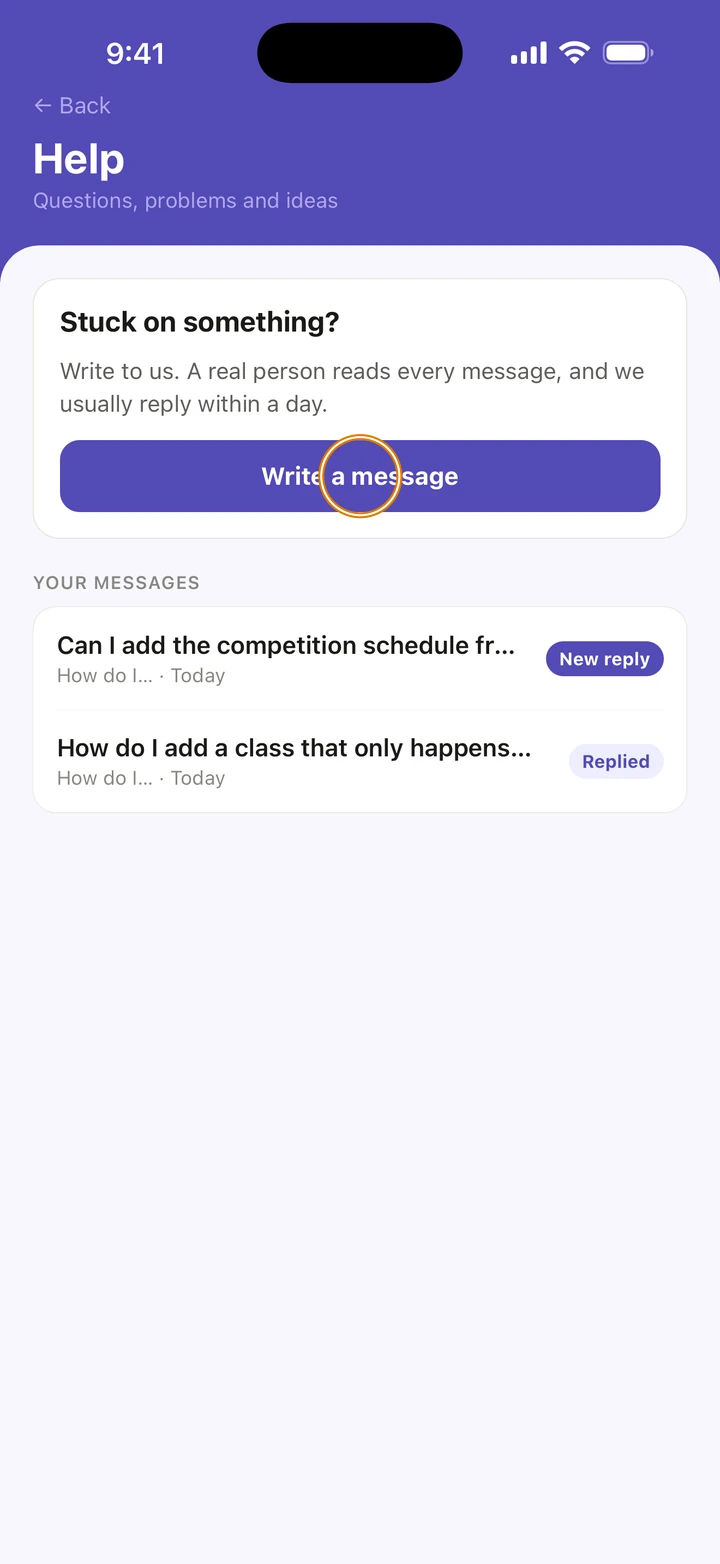
Write to us from inside Ovation with a question, a problem or an idea. A real person reads every message, and we usually reply within a day.
- About 1 minute
-
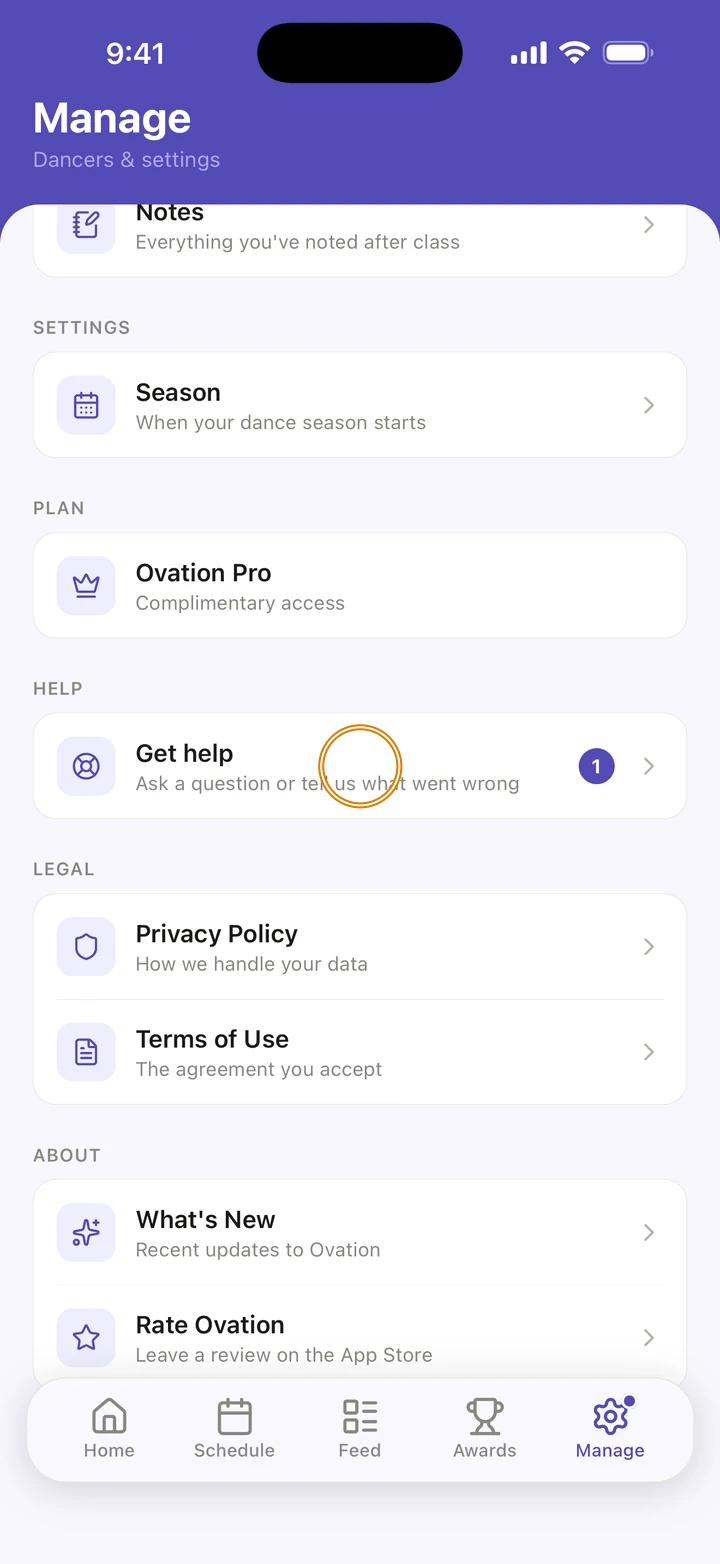
Go to Manage and, under HELP, tap Get help.
-
Tap Write a message.
-
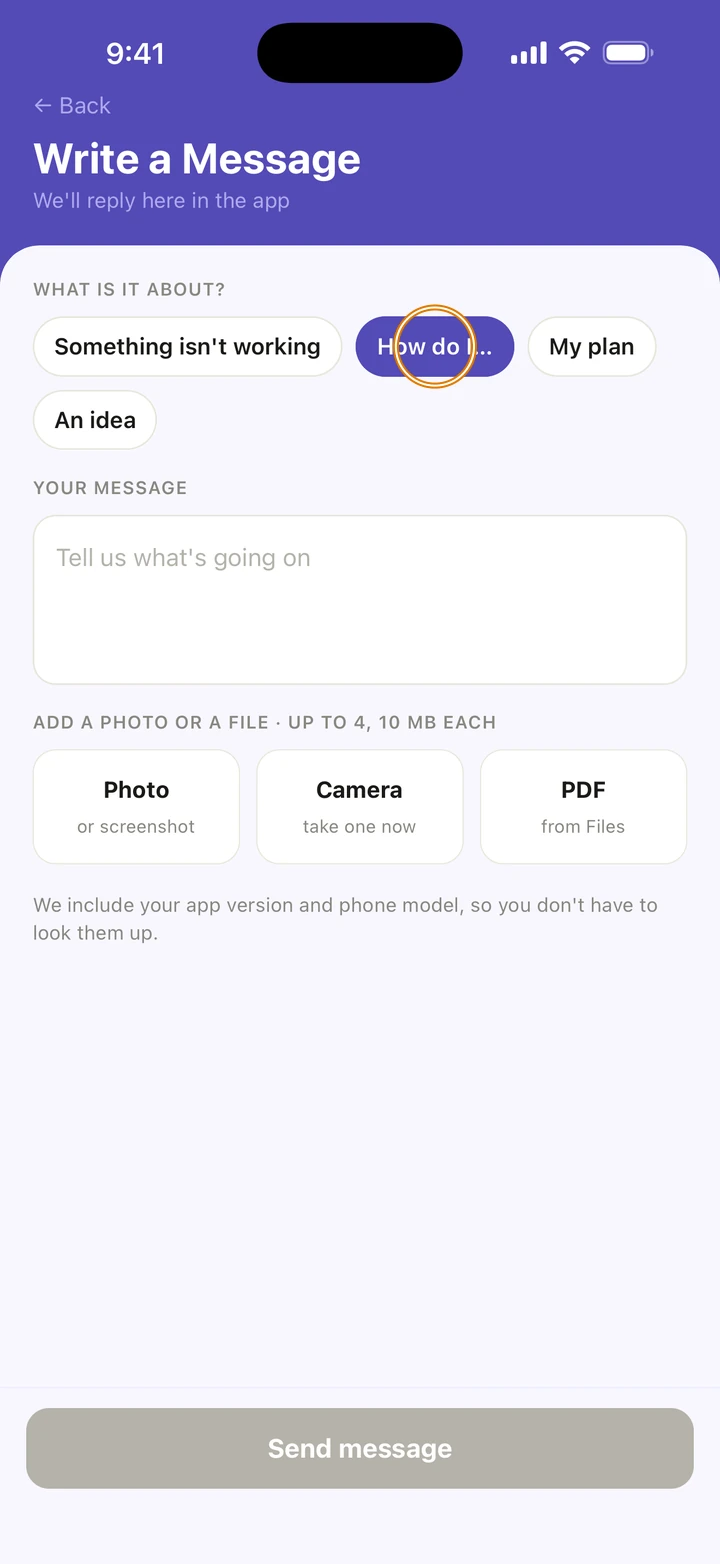
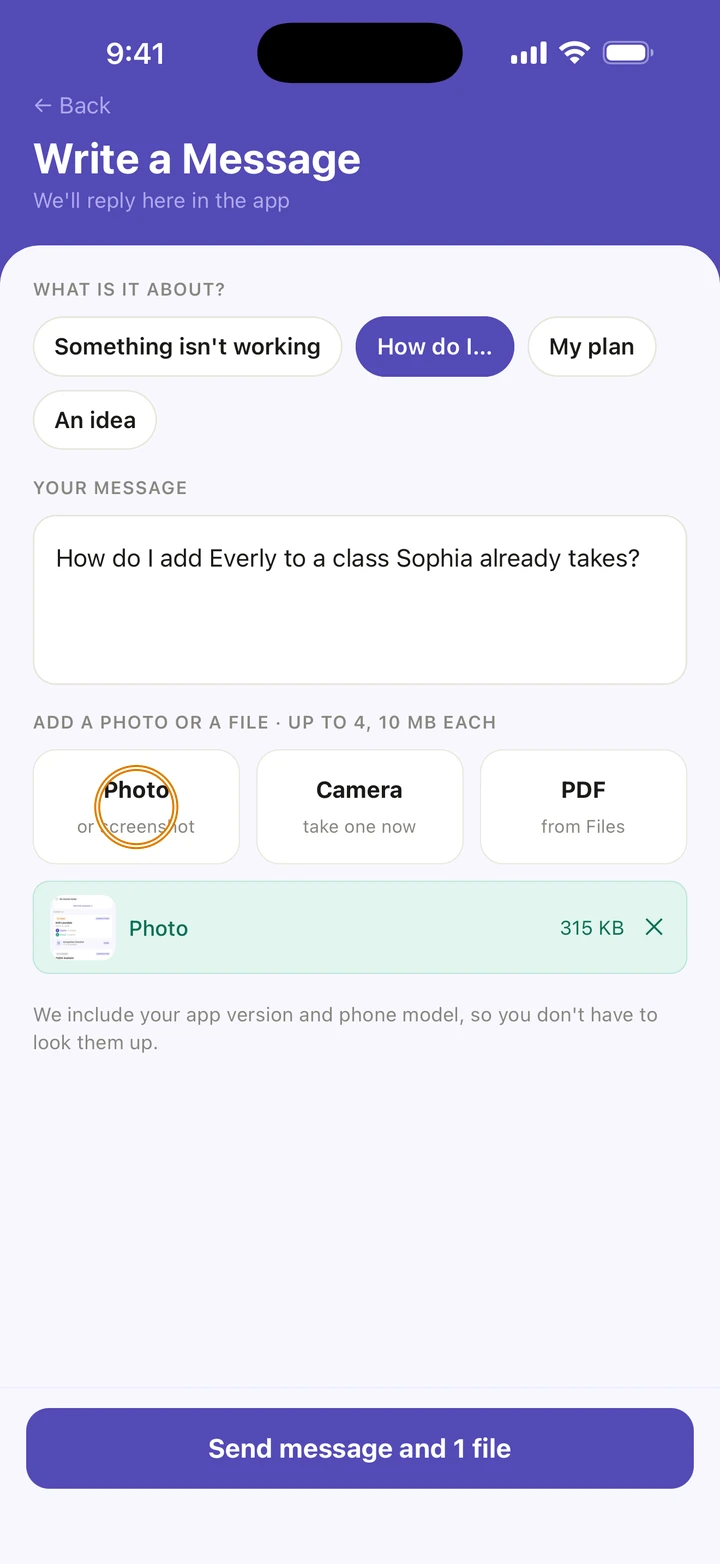
Under WHAT IS IT ABOUT?, tap Something isn't working, How do I…, My plan or An idea, if one fits.
-
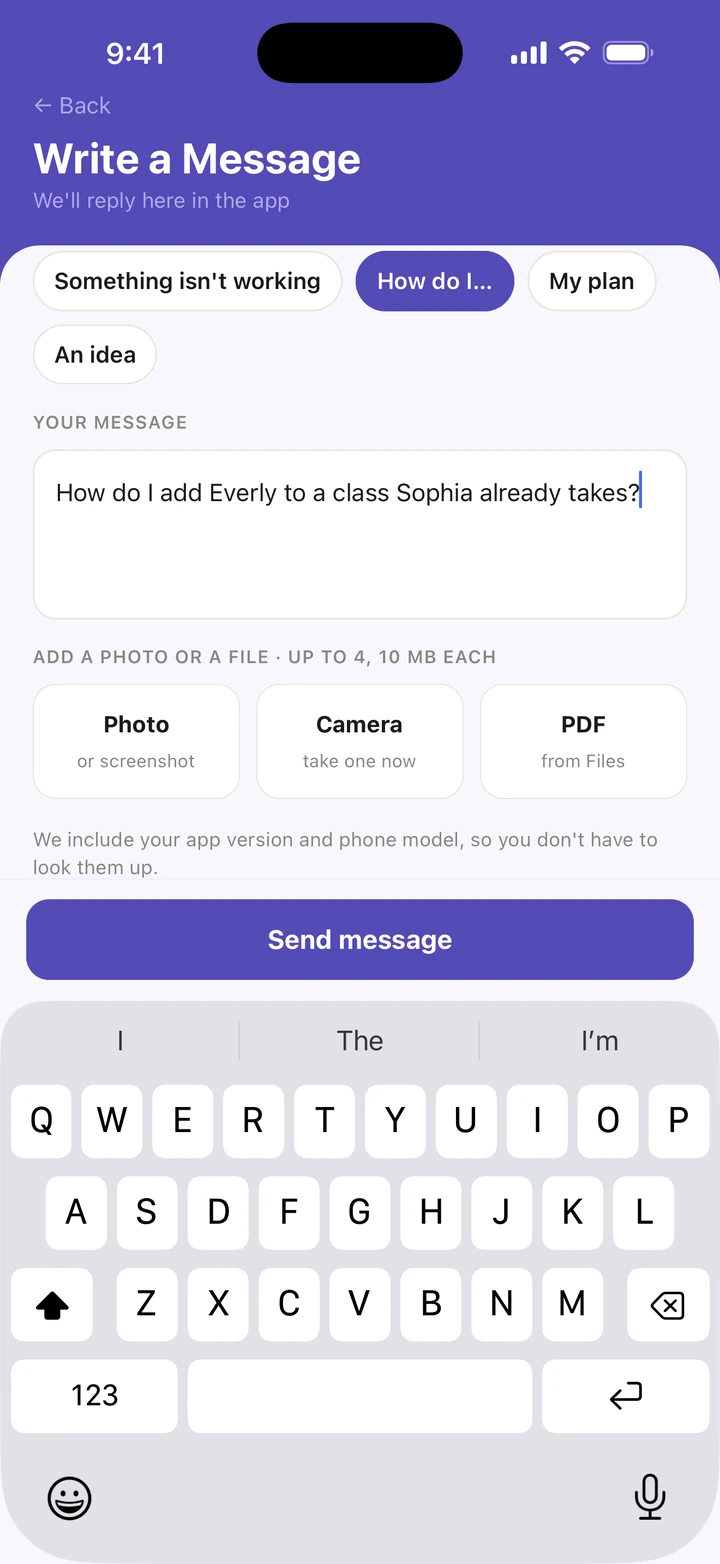
Under YOUR MESSAGE, tell us what's going on.
-
To show us, tap Photo for a photo or a screenshot, or Camera to take one now. You can add up to 4 files, 10 MB each.
-
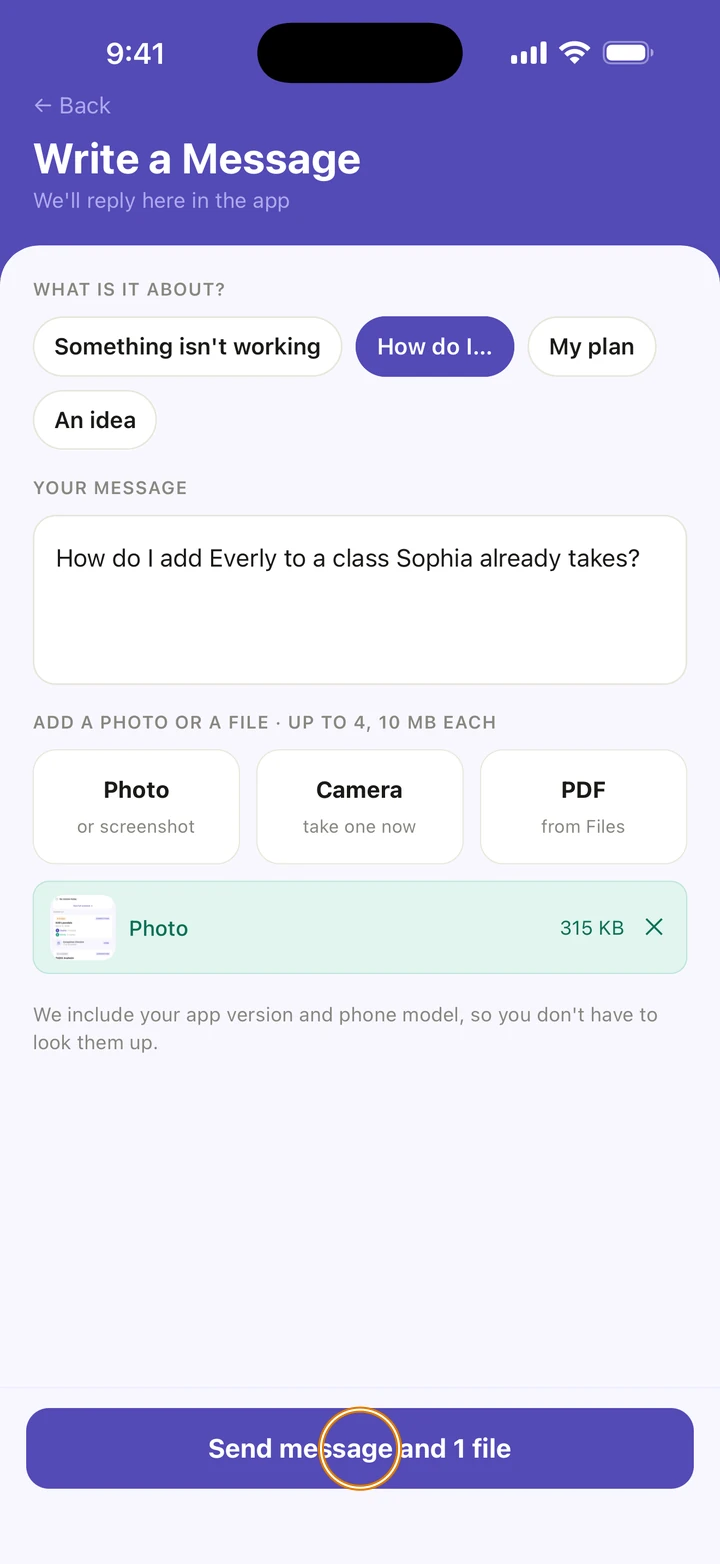
Tap Send message.
Good to know
- We include your app version and phone model, so you don't have to look them up.
- Our reply comes inside Ovation, under YOUR MESSAGES on the help screen, marked New reply. With notifications allowed, you also get a notification, and a dot appears on Manage.
- Tap a conversation to read it and reply. A message marked Solved opens again when you reply.
- A message can be up to 4,000 characters long.
- If an import doesn't work, tap Send this to us on that screen. It starts a message with your file already attached.
If something goes wrong
- If Ovation says That didn't send, check your connection and tap Send message again.
- If a file is over 10 MB, send a screenshot instead.
- Can't sign in to Ovation? On the sign-in screen, under Trouble signing in?, tap Email us at support@ovation.dance.
Related
Checked on Ovation 1.1.5