Set up Ovation and your first dancer
Create your account, add your dancer and their studio, and turn on reminders. It takes a couple of minutes, and you can skip anything you are not sure about.
- About 3 minutes
Before you start
You need an email address, or an Apple or Google account. The free plan includes one dancer; Ovation Pro holds up to four.
-
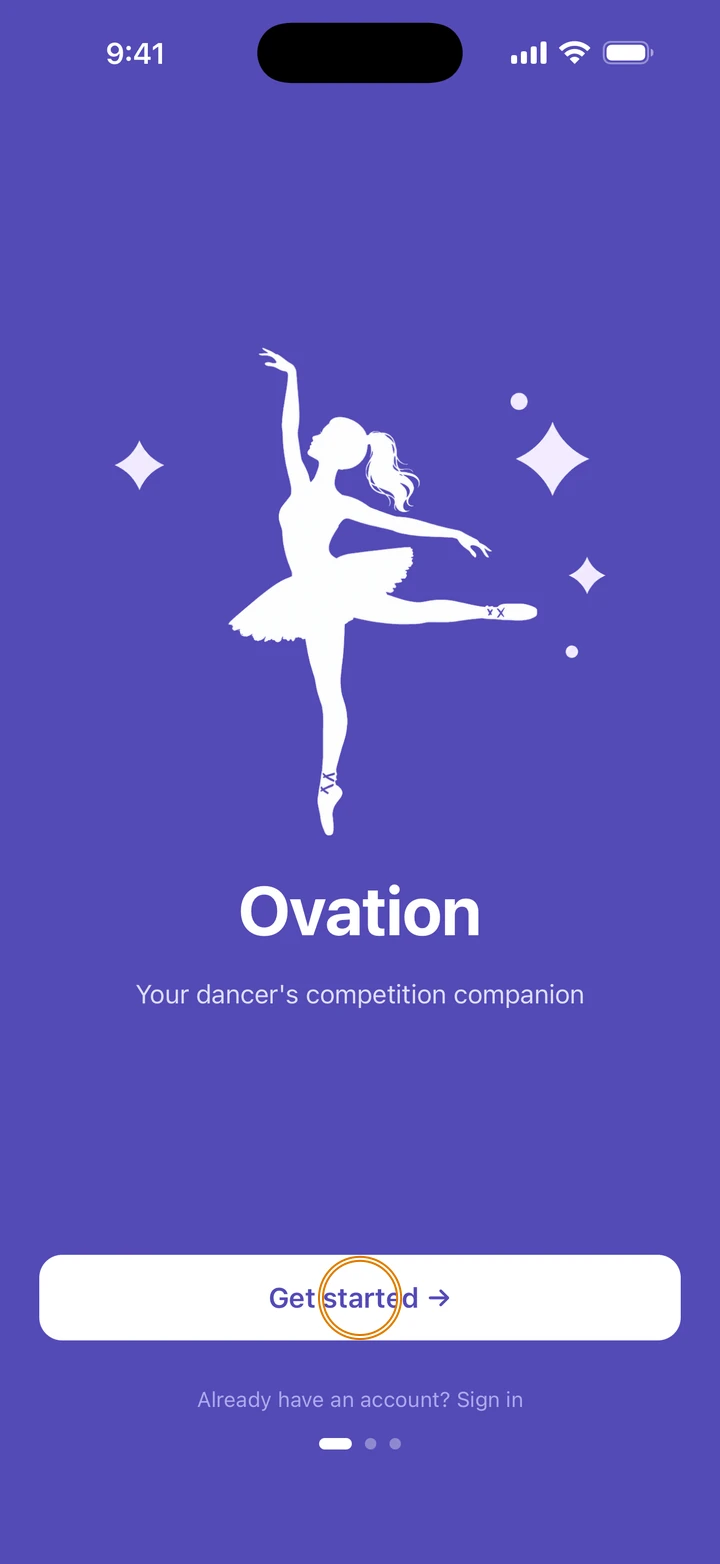
Open Ovation and tap Get started →.
-
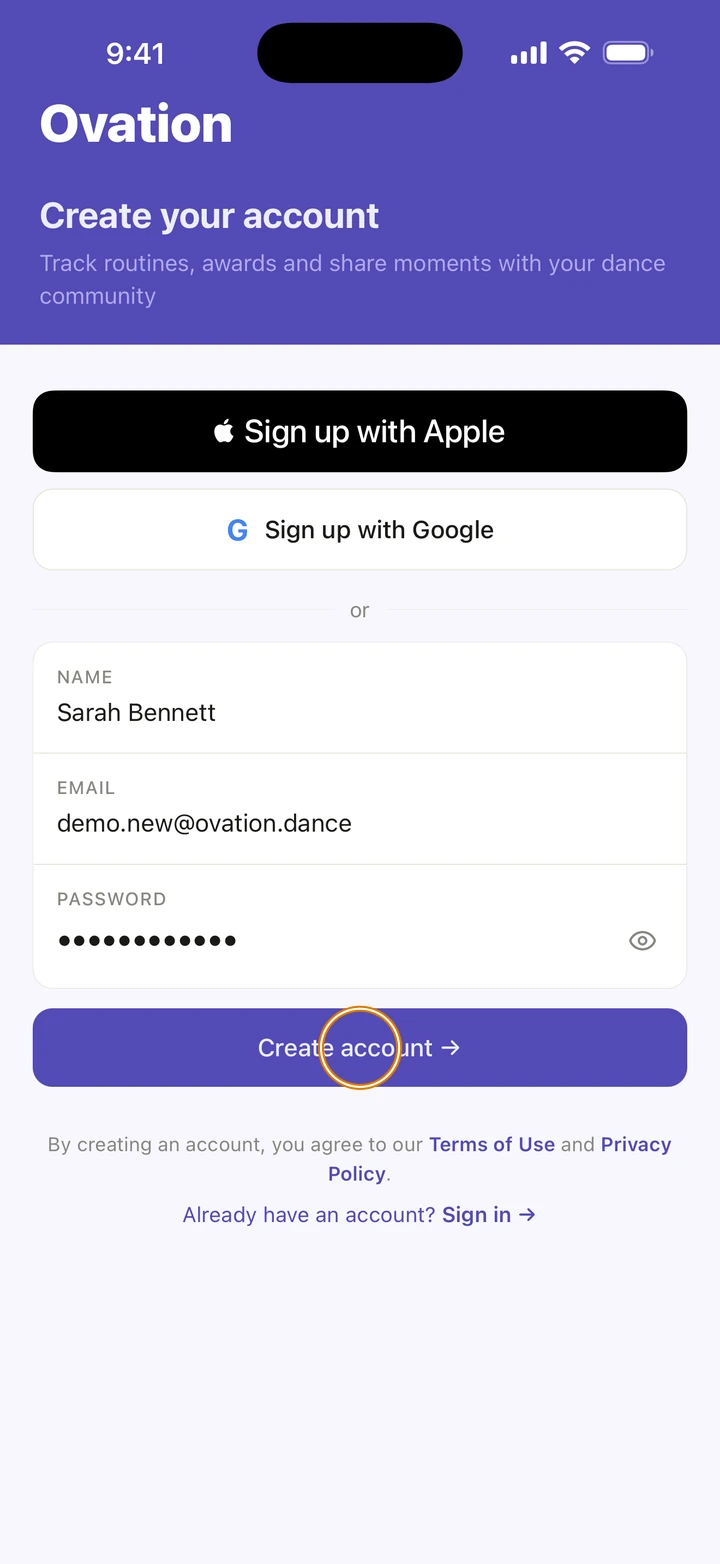
Sign up with Apple or Sign up with Google. Or type your NAME, EMAIL and a PASSWORD of at least 8 characters, and tap Create account →.
-
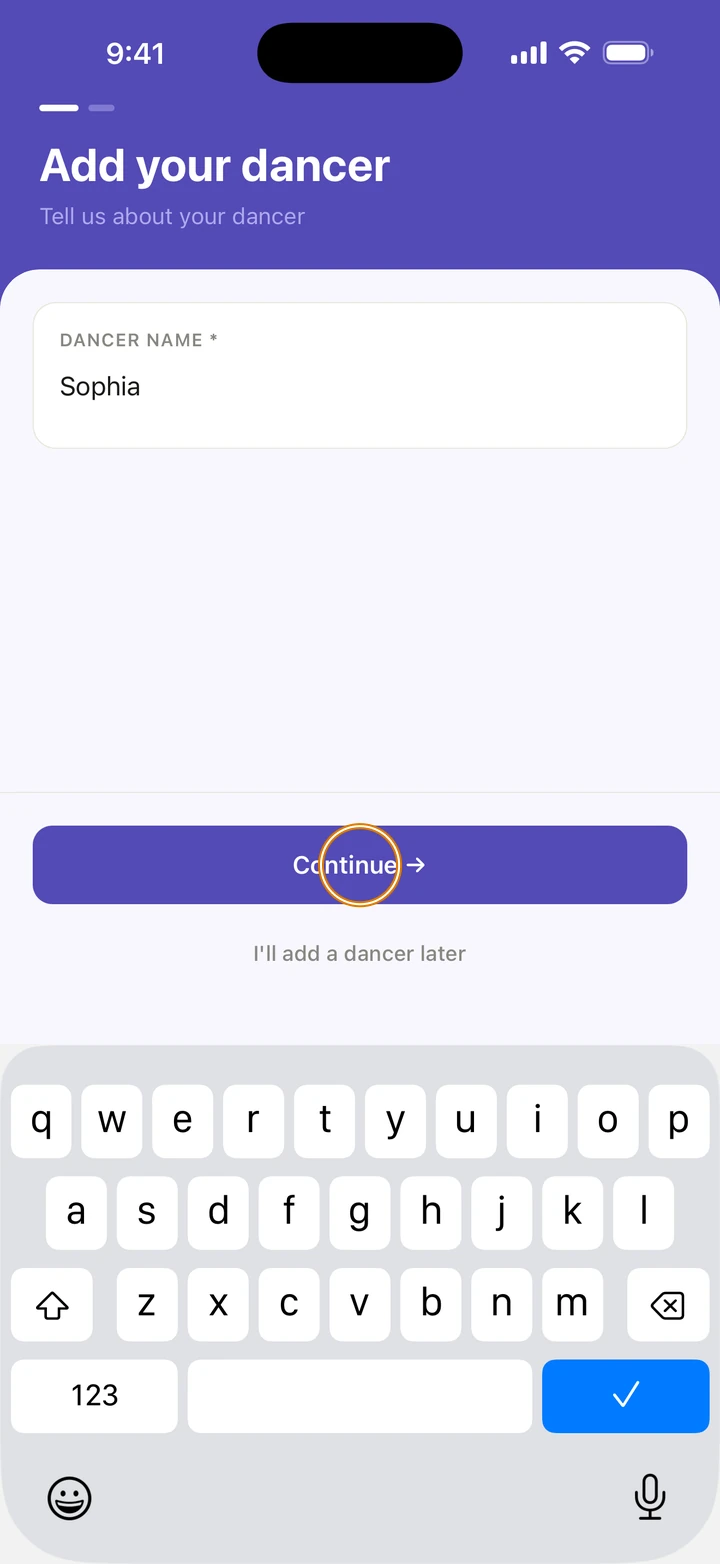
Under DANCER NAME, type your dancer's name and tap Continue →.
-
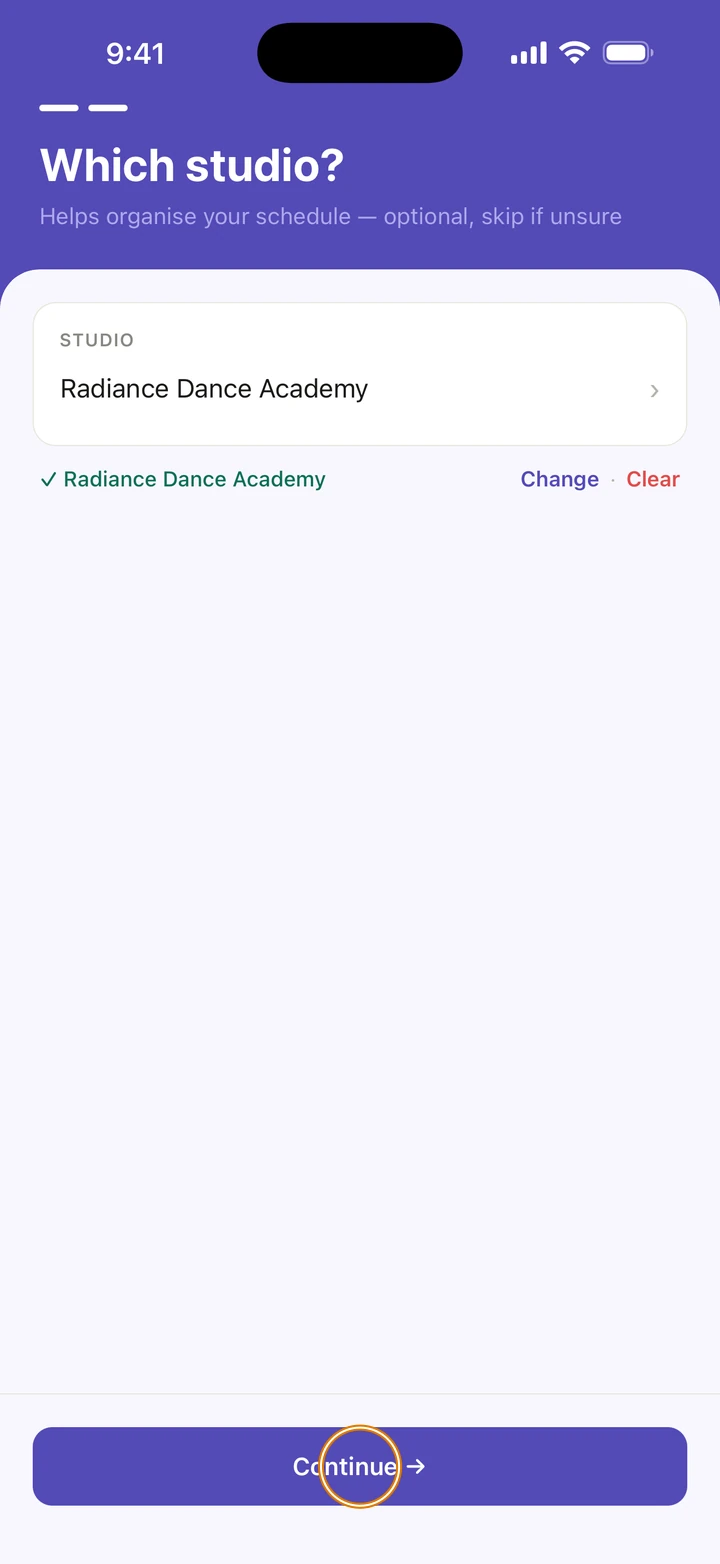
On Which studio?, tap Select studio..., type a few letters of the studio's name, tap it, then tap Continue →. Not sure yet? Tap Skip →.
-
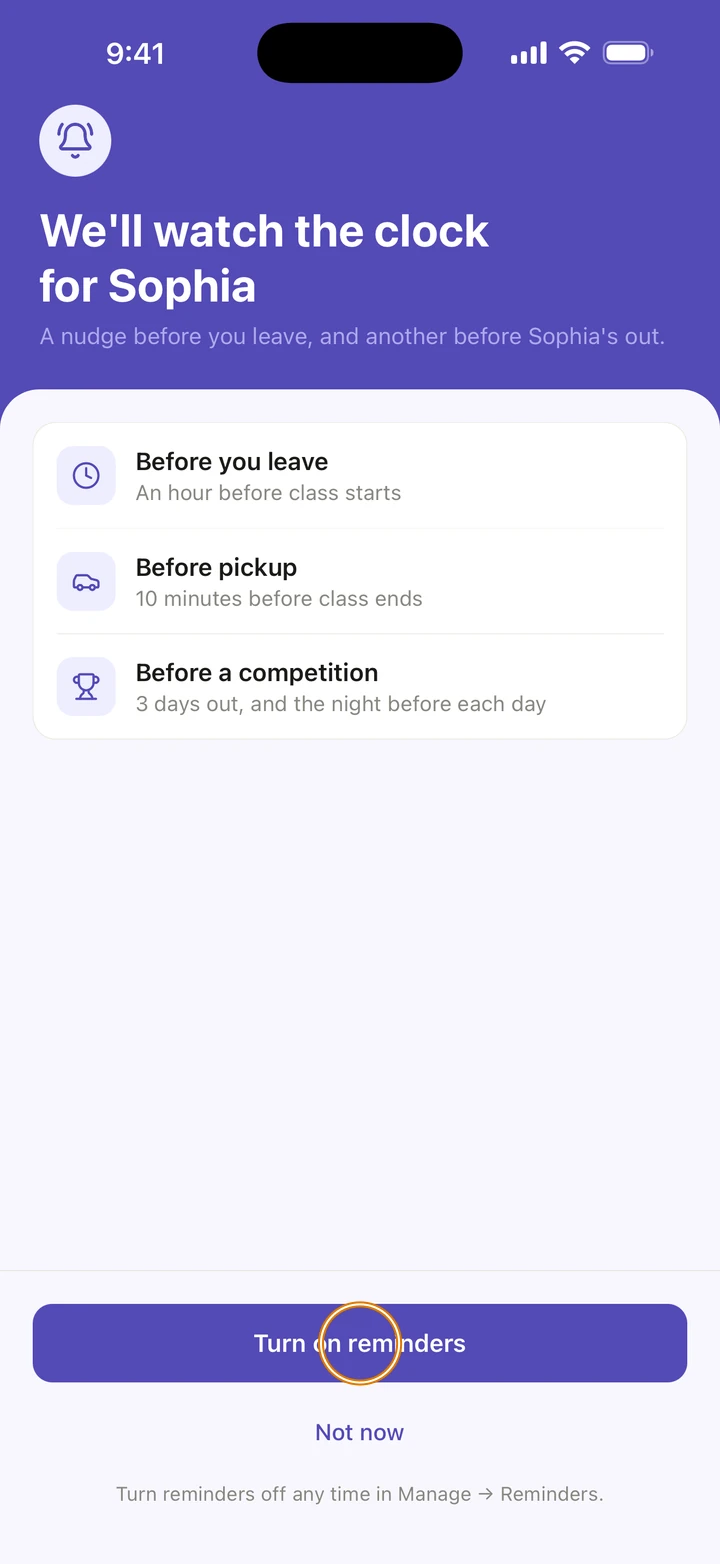
If Ovation asks about reminders, tap Turn on reminders, then allow notifications when iOS asks. Ovation reminds you before class starts and before pickup. Or tap Not now and turn them on later.
-
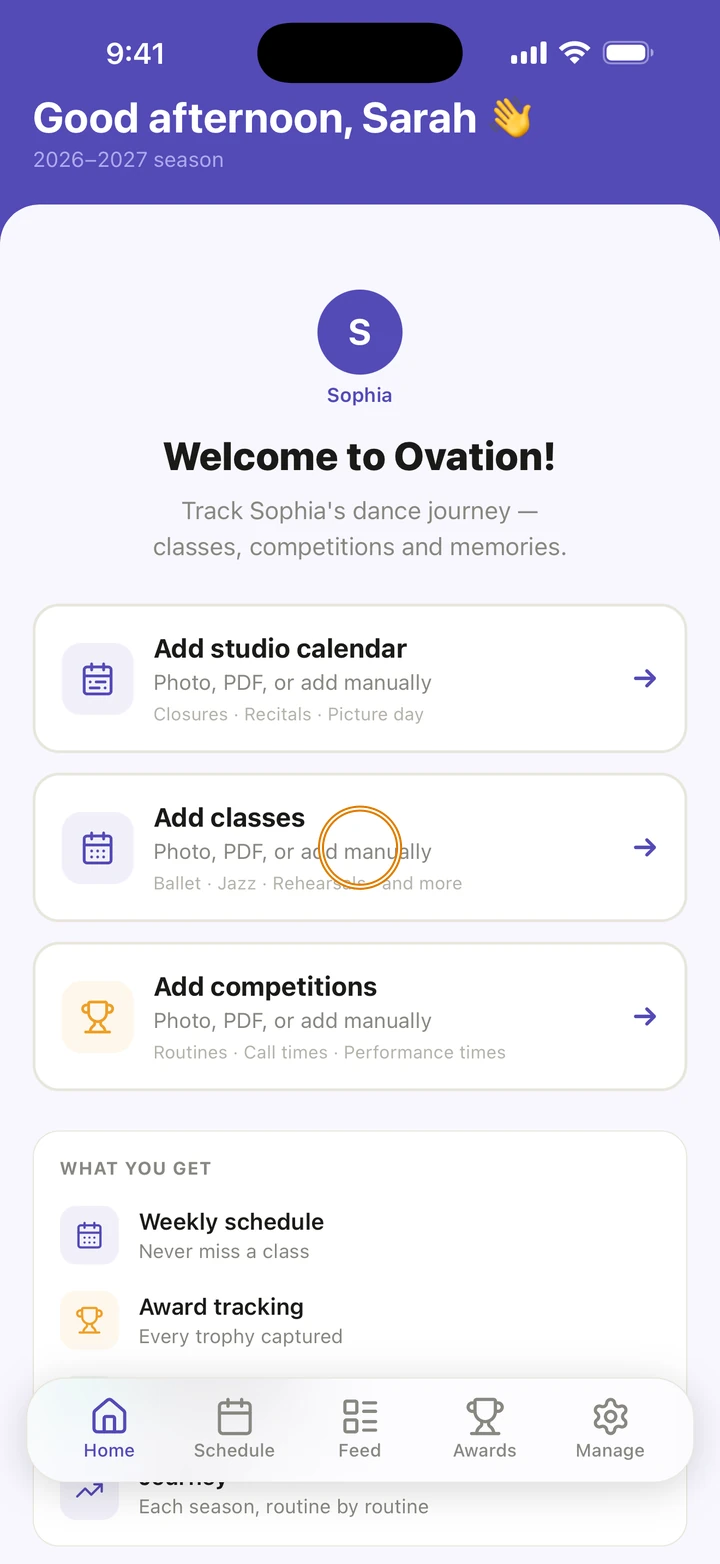
You are on Home. Tap Add classes, Add studio calendar or Add competitions to fill in your season.
Good to know
- By creating an account, you agree to Ovation's Terms of Use and Privacy Policy. Both are linked under the button.
- If you sign up with Apple and Apple doesn't share your name, Ovation asks for your first name on One more step. Adding your email there is optional.
- Not ready to add your dancer? Tap I'll add a dancer later, and add them any time in Manage → Add dancer.
- The studio you choose here is set for every dancer you added. You can change a dancer's studio later.
- Your season starts on September 1 unless you change it in Manage → Season.
If something goes wrong
- Already have an account with this email? Ovation says Already registered. Tap Log in and sign in instead.
- Can't find your studio? Type more of its name; if only a few studios come back, tap Can't find your studio? to search further.
- For anything else, go to Manage → Get help. A real person reads every message.
Related
Checked on Ovation 1.1.5